Getting Started in Monster Maker
Your first hour in the Roblox creature workshop—from blank save to a walking monster.
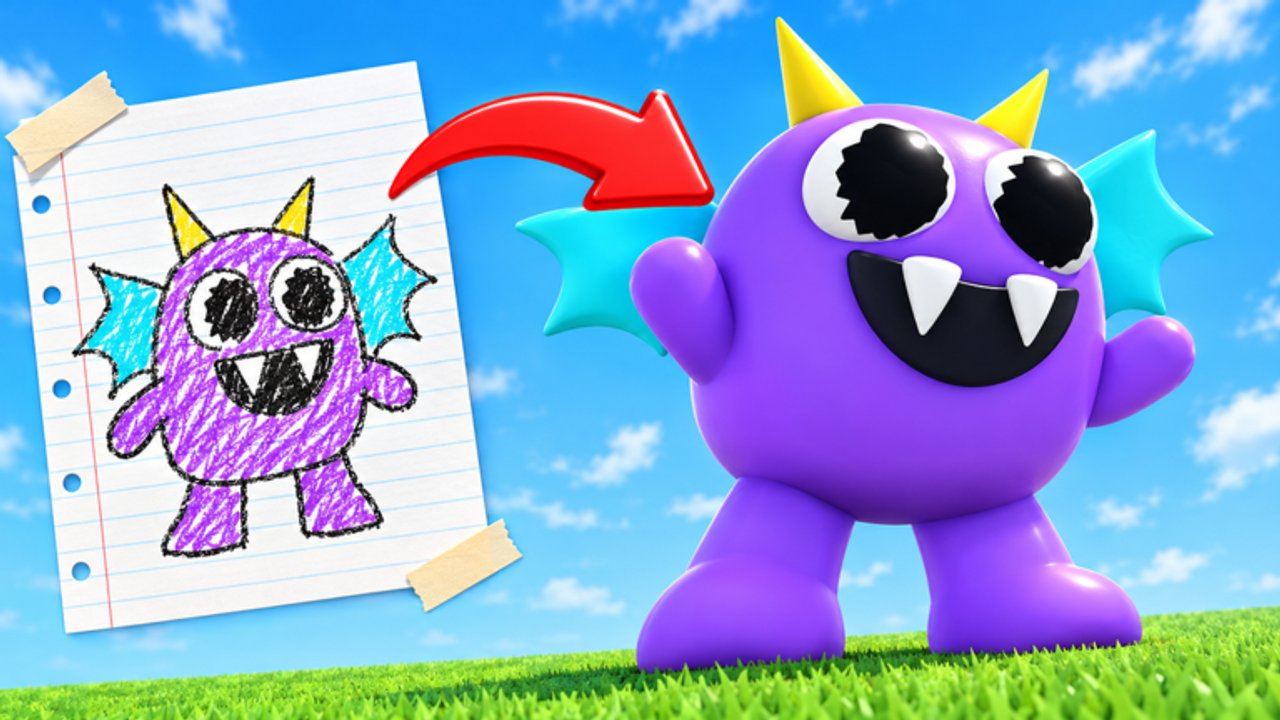
Monster Maker on Roblox is a free Simulation / Sandbox experience from the Monster Maker Community where you assemble creatures from heads, bodies, arms, legs, and tails, decorate them, test animations, and play game modes. This getting-started guide turns the noisy first session into a clear checklist so you leave with one solid biped instead of five broken drafts.
Released 22 October 2026, the game’s tagline says it best: create any creature you can imagine and watch it come to life. Watching it come to life only works if part types, mirrors, and saves cooperate. Use the embedded overview video mid-page, then follow the written steps when you need to pause and replay a moment.
Goals for your first hour
- Finish any onboarding prompts without skipping shop vocabulary.
- Build a simple biped with correct arm/leg roles.
- Run stand, walk, hit, slam, stomp, and tail-whip tests (skip whip if you have no tail yet).
- Save a named version.
- Redeem any live codes once using How to Redeem.
- Peek at a game mode so you know what “play” feels like.
If you only hit goals 2–4, you already beat most rushed newcomers.
Step 1 — Join the right place
Open the official Monster Maker page (Place ID 137036689378411, Universe ID 10772440379). Servers hold up to 24 players. Wait for full load before touching advanced menus; redeem and shop buttons often appear late.
Step 2 — Learn the workshop nouns
- Parts — Meshes for head, body, arms, legs, tails.
- Part types — The role a mesh plays in animation (arm vs leg vs tail). Wrong roles cause the #1 beginner bug.
- Stickers / eyes / colors — Surface personality without changing the rig.
- Shop — Coins and gems for kits.
- Save — Your progress; treat it like a checkpoint, not an afterthought.
Deep craft lives in How to Make Monsters. Input details live in Controls.
Step 3 — Build a boring hero biped
Resist limited spikes. Grab a neutral head, mid torso, medium arms, and proportional legs—aligned with Best Parts.
- Place the torso as the anchor.
- Attach the head; add two high-contrast eyes and a simple mouth.
- Add left arm, mirror to right, confirm both are typed as arms.
- Add legs the same way; confirm leg types.
- Optional: small tail typed as tail only.
- Recolor with two body hues + one accent.
Name the save starter_biped_v1.
Step 4 — Animation battery
Preview each clip:
- Stand — Idle balance; fix floating feet.
- Walk — Watch knees and arm swing.
- Hit — Arms should lead, not the tail bone.
- Slam / stomp — Weight should read downward through legs.
- Tail whip — Only if a real tail exists.
If slam looks like a dance emote, lengths or types are wrong—fix before shopping.
Step 5 — Light shop spend
Redeem community-reported codes if live (GEMBOOST100, COINMACHINE, and friends on the Codes Hub—verify in-game; they expire). Buy reusable kits, not one joke horn. Gems are rarer; stretch them.
Step 6 — Touch play and community
Enter a mode once so you see lighting and distance. Browse one community favorite using habits from the Players Hub, then return to improve starter_biped_v2. Do not script-copy anyone; read Scripts if chat pressures you.
Common first-day failures
| Symptom | Likely cause | Fix |
|---|---|---|
| Arms flop like ribbons in walk | Typed as tails/legs | Retype as arms |
| One side higher after mirror | Asymmetric pre-mirror mesh | Simplify, remirror |
| Monster looks cool in editor, silly in mode | No animation battery | Retest all clips |
| Broke after shopping | New part wrong type | Re-check roles |
| Codes invalid | Expired/typo/already used | See redeem guide |
What to learn next
- Controls — faster camera and selection
- How to Make Monsters — silhouette and polish
- Scary Designs or Famous Monsters — style goals
- November 2026 — if you joined during rapid patches
Mindset
Monster Maker rewards iteration. One clean biped teaches more than ten unfinished horrors. Keep saves, type parts honestly, and treat codes as boosts—not the whole game. When updates land, retest; do not panic-delete.
You now have the loop: design → type → decorate → test → save → play. Everything else on this wiki is a specialization of that loop. Have fun watching your first creature walk under its own (virtual) power.
Frequently Asked Questions
Quick answers for builders, codes, and game modes.
Is Monster Maker free to play?
Yes. It is a free Roblox Simulation/Sandbox experience. Optional shop purchases use coins and gems.
What should my first monster look like?
A simple biped with neutral head, clear eyes, medium arms, and proportional legs. Master typing before fancy spikes.
Why do my animations look wrong?
Part types are often mismatched. Confirm arms, legs, and tails are labeled correctly, then rerun walk and slam tests.
Should I redeem codes on day one?
Yes—once—using the redeem guide. Spend on flexible parts listed in Best Parts, not impulse cosmetics.
Where do I go after this guide?
Controls, then How to Make Monsters. Add Game Modes and a tier list page once your biped walks cleanly.