Monster Maker Shop and Currency Guide
Spend coins and gems on parts that actually improve motion—not impulse stickers you replace tomorrow.
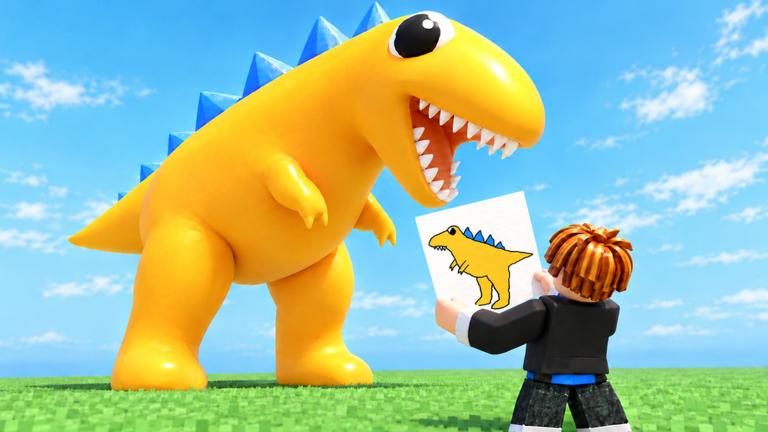
The Monster Maker shop is where coins and gems turn into heads, limbs, stickers, eyes, and kits that define how your creature looks and moves. New players often burn a first gem pile on novelty spikes, then discover their biped still cannot walk cleanly. This guide separates coins vs gems, maps common shop categories, and gives a spend order that pairs with Best Parts and free income from Codes.
Monster Maker launched 22 October 2026 as a free Simulation / Sandbox experience. Currency is optional fuel—not a substitute for part typing, mirroring discipline, or animation tests covered in How to Make Monsters and Controls.
Coins vs gems
| Currency | Typical role | Best early uses | Easy mistakes |
|---|---|---|---|
| Coins | Everyday shop fuel | Flexible limbs, basic stickers, color packs, starter kits | Buying ten joke hats before a second leg set |
| Gems | Premium / scarce ladder | High-read eyes, versatile premium meshes, limited packs you will reuse | Flex purchases that never leave the editor |
Coins refill from play, modes, and many community codes (COINMACHINE, coin halves of combo codes). Gems arrive slower (GEMBOOST100, gem halves of NEWUPDATE!). Treat gems like savings: unlock capability, not a single meme silhouette you abandon after one session.
Exact prices rotate with patches—especially during busy November 2026 cadence—so read the live shop labels. The priority below stays stable even when numbers move.
What the shop usually sells
- Body and limb parts — Heads, torsos, arms, legs, tails that attach to sockets and need correct part types.
- Stickers and decals — Surface detail; cheap personality, weak locomotion value.
- Eyes and face kits — High leverage for scare and readability at mid camera distance.
- Color / material packs — Contrast tools; two body hues + one accent beat rainbow spam.
- Blueprints / starter kits — Shortcuts when you want a workable plan (codes like
FREEMONSTERsometimes grant these). - Bundles — Mix of the above; check whether you already own the flexible pieces inside.
If a listing looks purely decorative, assume it will not fix a broken walk cycle.
Spend priorities (first week)
- Fix locomotion gaps — Missing or stubby legs, no usable arms, or a torso that cannot hold sockets. Cross-check S-tier and A-tier picks on Best Parts.
- Readable eyes / mouth — Especially before you chase scary designs or Backrooms chase readability in Backrooms Escape.
- One reusable limb kit — Prefer meshes that survive remirrors and animation batteries over one-off horns.
- Color contrast — Dark body + bright eyes (or the reverse) so modes do not erase your face.
- Stickers last — After stand → walk → hit → slam → stomp → tail whip all pass.
Never spend gems on step 5 while step 1 is unfinished.
How codes refill the wallet
Community-reported November 2026 strings on the Codes Hub commonly grant gems, coins, XP boosts, or blueprints. Redeem with How to Redeem Codes once per code, then return here with a shopping list—not an open tab and impulse clicks.
Rules that save currency:
- Redeem before a focused shop session, not mid-mode if timers matter.
- Stack temporary XP (
LEVELUPFAST) only while you actively play. - Assume every code can expire after a November 14 update or other patch—verify in-game.
- Ignore “code generators” and executor promises; see Scripts.
Avoiding waste
Duplicate ownership — Bundles sometimes include meshes you already bought à la carte. Read contents.
Wrong part type after equip — Shop items do not auto-fix bad typing. After every purchase, reselect the limb and confirm arm / leg / tail before you mirror (Mirroring).
Asymmetric vanity before symmetry skills — One-sided horns are fine later; early budgets should fund pairs you can mirror cleanly.
Scare inflation — Extra spikes rarely beat one strong silhouette. Study Famous Monsters for restraint.
Patch FOMO — When Updates land, skim new kits for sockets and roles, not hype art. Retest old saves before you rebuild with expensive replacements.
Shop session checklist (15 minutes)
- Note coin and gem totals; write a three-item wish list tied to a real monster save name.
- Redeem any live codes you have not claimed.
- Buy the highest-priority locomotion or eye upgrade only.
- Equip → set part type → mirror once → run the animation battery.
- Save
shop_pass_v#before a second purchase. - Enter a game mode briefly to judge mid-distance readability.
- Stop. Remaining currency is allowed to sit.
Economy mindset after updates
Early November patches reshuffled shop UI and highlighted newer modes. Currency rules did not erase craft debt: arms typed as tails still fail in chase arenas, and gem flex still looks weak under Backrooms lighting. Keep Getting Started habits—named saves, boring bipeds first—even when your wallet feels rich.
If a patch retires a mesh you loved, do not panic-buy three replacements in one sitting. Load a backup, see what still animates, then spend on the single socket that broke.
Related reading
- Best Parts — what to buy first
- Codes and How to Redeem — free top-ups
- Controls — find shop and type UI after label moves
- Guides Hub — full workshop path
Spend like a builder: capability first, cosmetics when the creature already walks. That is how Monster Maker currency compounds instead of vanishing into sticker regret.
Frequently Asked Questions
Quick answers for builders, codes, and game modes.
What is the difference between coins and gems in Monster Maker?
Coins are everyday shop currency for common parts and stickers. Gems are scarcer and better saved for premium eyes, versatile meshes, or packs you will reuse across many builds.
What should I buy first in the shop?
Fix locomotion gaps and readable eyes before vanity stickers. Use the Best Parts tier list for flexible limbs, then decorate.
Do codes give shop currency?
Many community-reported codes grant coins, gems, XP boosts, or blueprints. Verify each string in-game—they expire after updates.
Why did my new shop part break animations?
New meshes often keep a wrong part type. Reselect the limb, set arm/leg/tail correctly, remirror once, then rerun the animation battery.
Should I spend all gems when a new kit drops?
No. Skim whether the kit solves a real socket or readability problem, retest your main save, then buy one upgrade at a time.